
Connect your rule webhook to Nevian
Receive a signed notification when an automated rule acts, so your own service can handle the result.
What you need
- Owner or admin access and an active plan.
- A public HTTPS receiver that can verify signatures from the original request body.
- A rule configured to send a webhook notification when it acts.
Steps
Open the settings from Automated rules or Ads manager. In Ads manager settings, find Webhook.
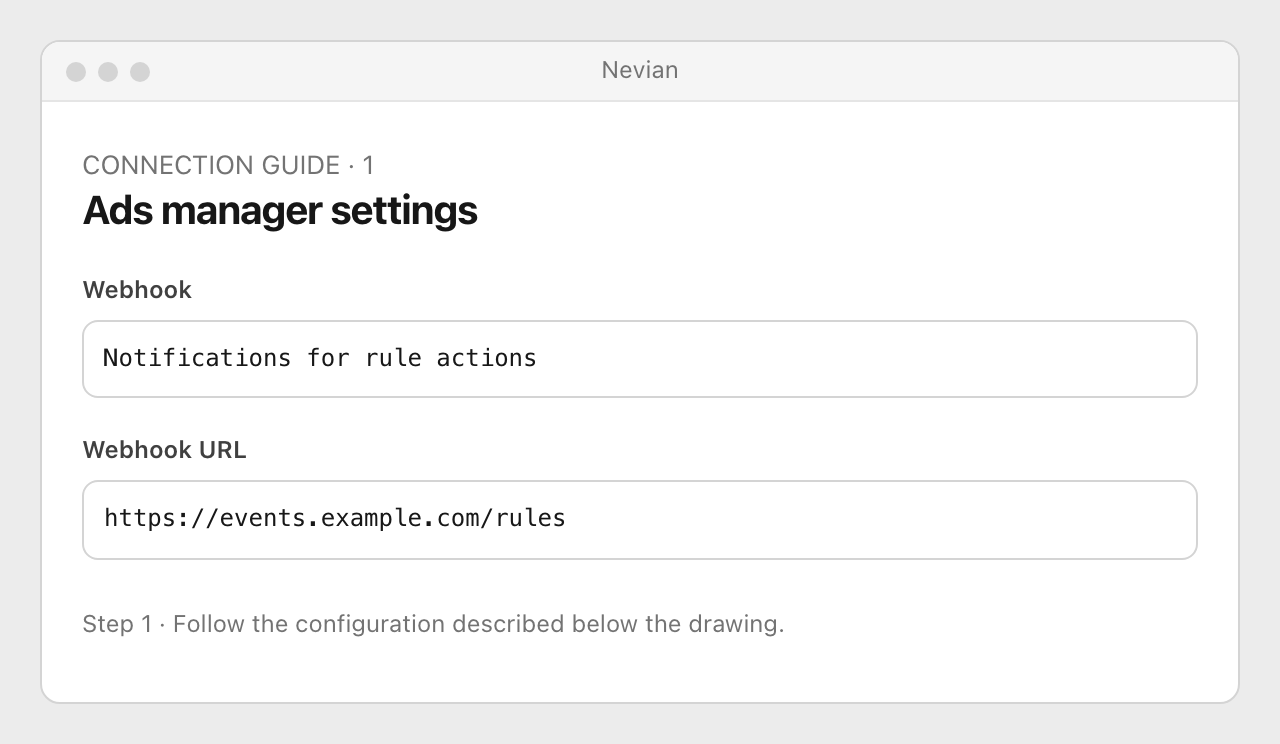
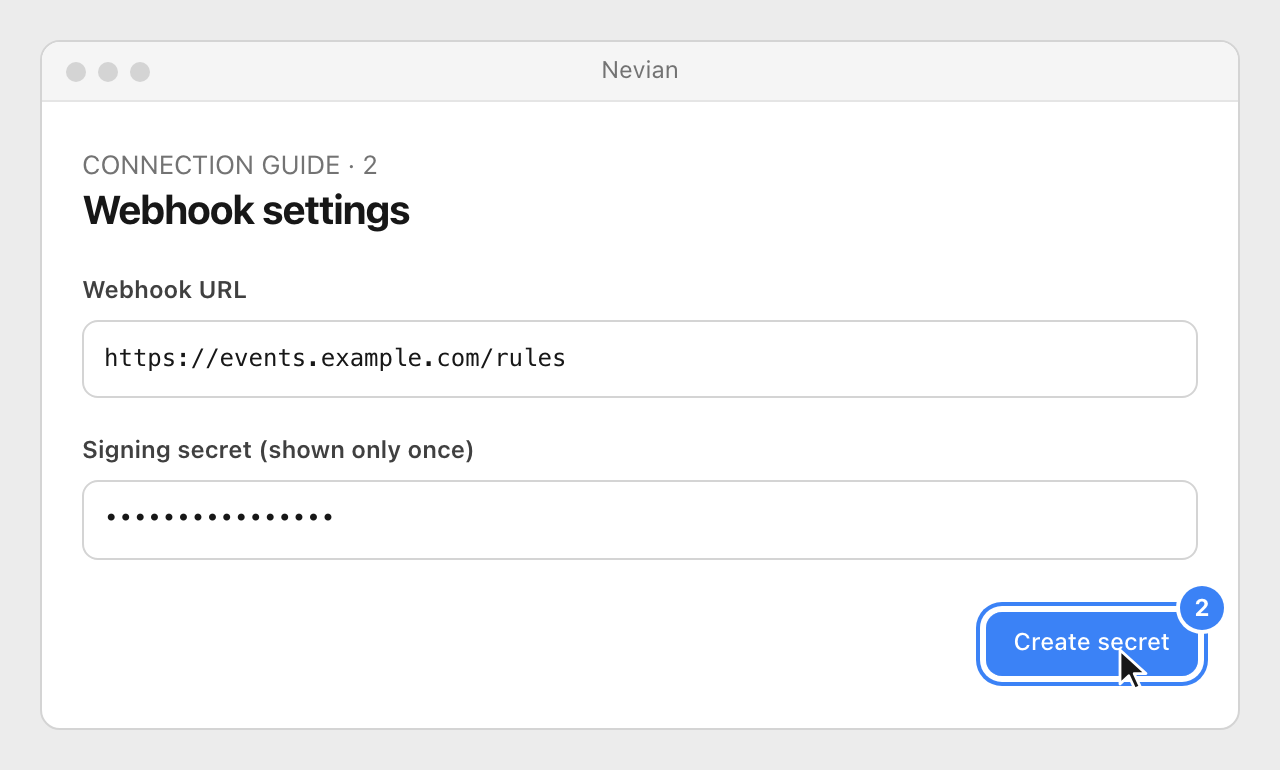
Enter Webhook URL and choose Create secret. Save the signing secret in your receiver’s server configuration when it is shown; it cannot be read again later.
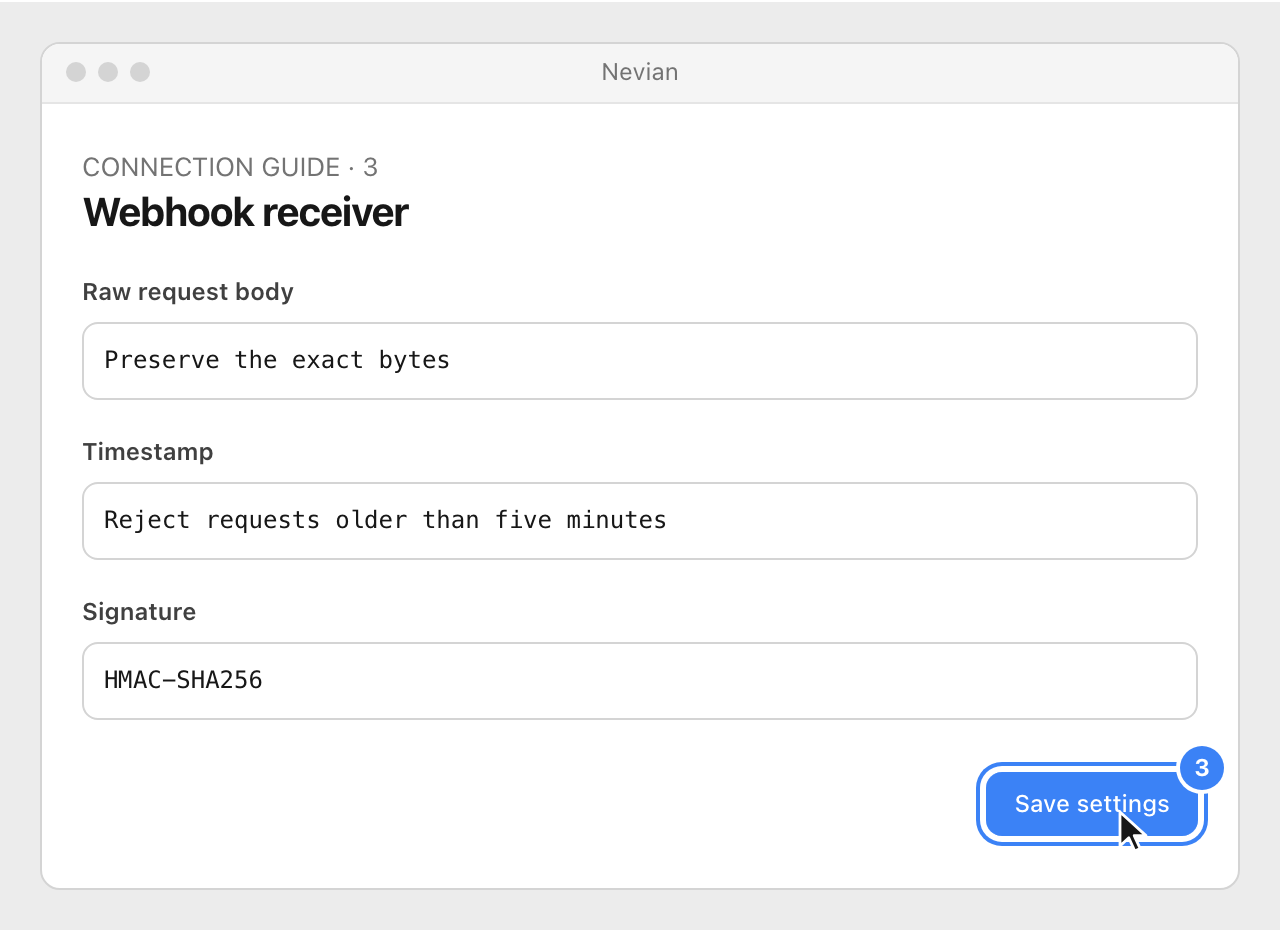
Choose Save settings. Configure the receiver to verify the timestamp and signature before it accepts the event, using the verification details below.
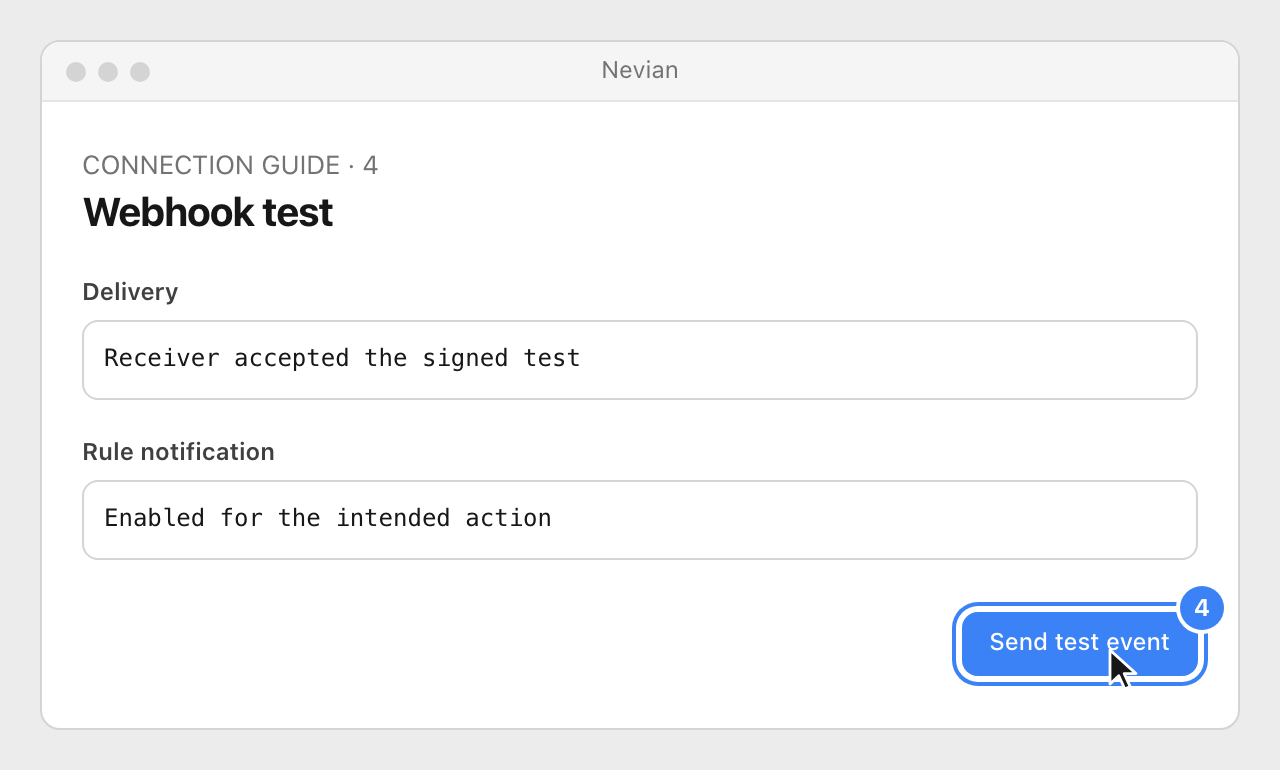
Reopen the settings and choose Send test event. Check the receiver result, then ensure the intended rule has its webhook notification enabled.
Protocol headers retain their existing names: X-BlackTrack-Timestamp and X-BlackTrack-Signature. The signature header has the form sha256=<hex>. Verify the hexadecimal HMAC-SHA256 of <timestamp>.<raw body> with the saved signing secret, compare safely and reject timestamps older than five minutes. These protocol names are intentional and are not branding to rename.
Check that it works
- The signed test is accepted by the receiver. A modified body or stale timestamp must be rejected.
- A rule notification is sent after a run acts; a rule that checks conditions without taking an action does not necessarily send an event.
Problems
The test button is unavailable
Save a valid URL and create a signing secret, then reopen the settings.
Signature verification fails
Use the exact raw body and current secret. JSON parsed and serialized again may have different bytes.
No notification from a rule
Check its action result and notification settings before assuming delivery failed.
Still stuck? Write to [email protected].
Images are our own drawings and configuration diagrams, not screenshots. Use the current values from your account; the examples contain no live credentials.