
Connect your tracking domain to Nevian
Use your own subdomain for tracking links and the page script when custom domains are available in your workspace.
What you need
Availability. Custom domains are currently disabled in the public configuration. These steps apply only when Add domain is available; the built-in tracking host remains ready to use.
- Control of an unused subdomain, such as
go.example.com, and its DNS records. - An active plan and permission to manage domains.
- The built-in tracking host already works without DNS changes.
Steps
Open Tools → Domains. If Add domain is available, choose it; otherwise use the ready built-in tracking host shown on this page.
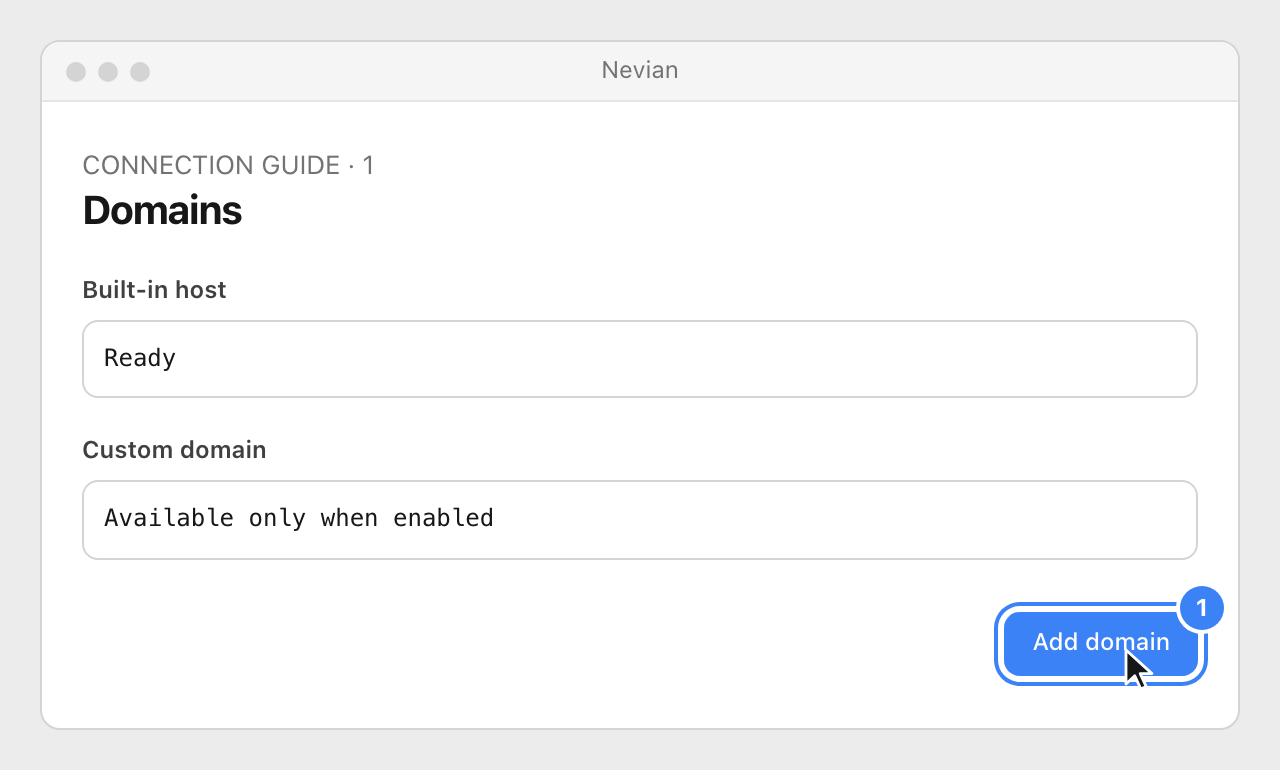
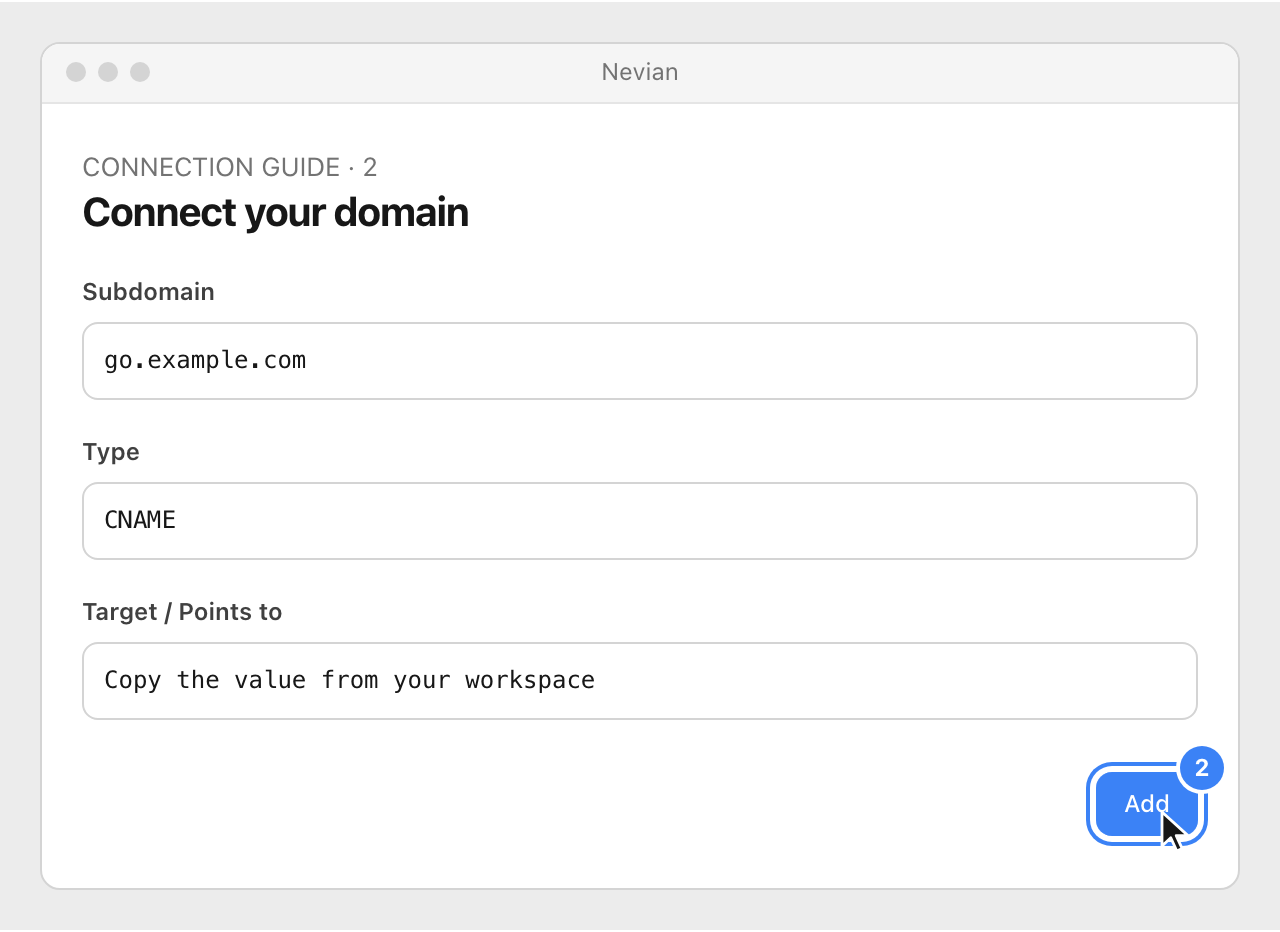
Enter an unused Subdomain and choose Add. Copy the exact Type, Name / Host and Target / Points to that Nevian shows.
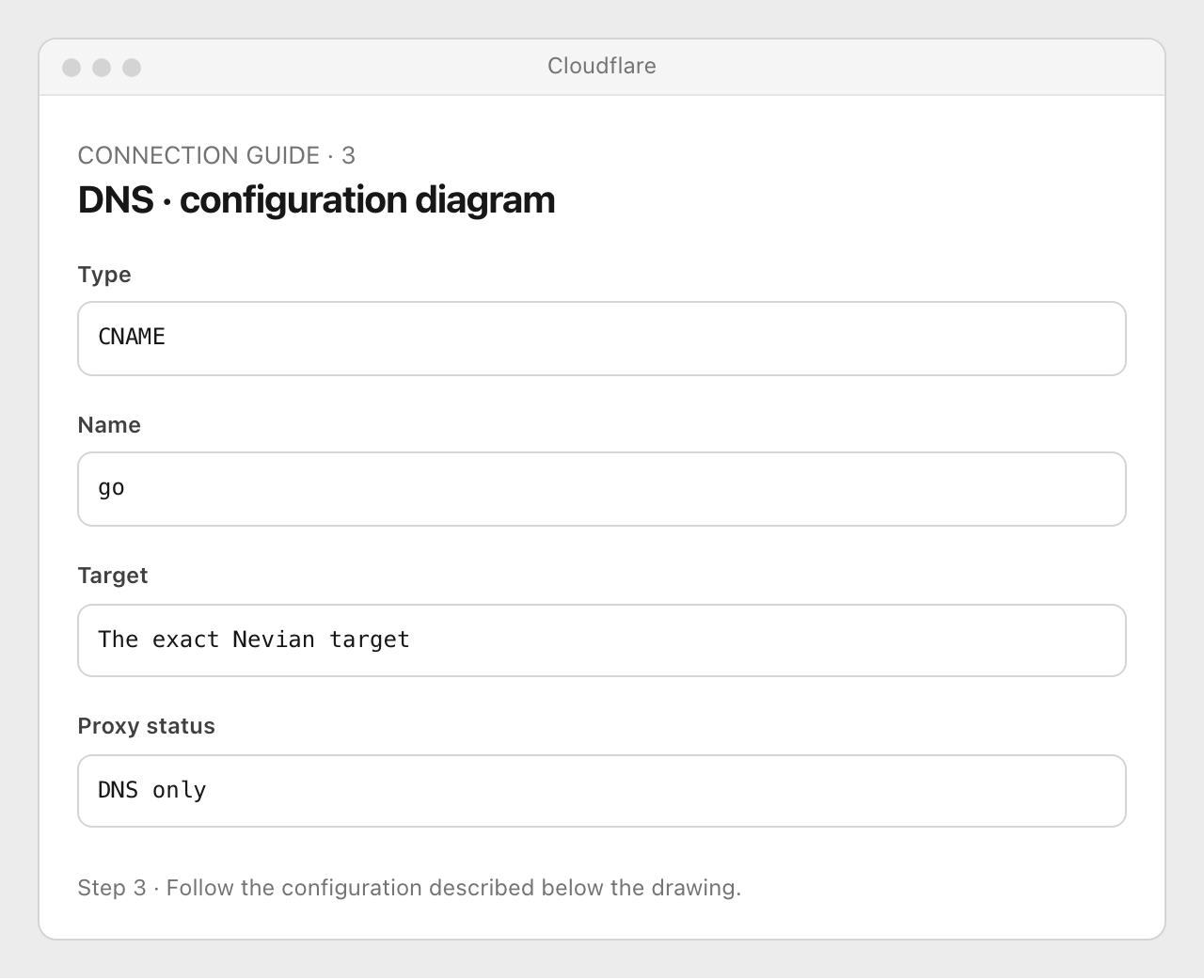
At the DNS provider, create that CNAME. In Cloudflare, open DNS Records → Add record, choose CNAME, enter the copied name and target, set Proxy status to DNS only, then Save; do not replace records used by an existing website.
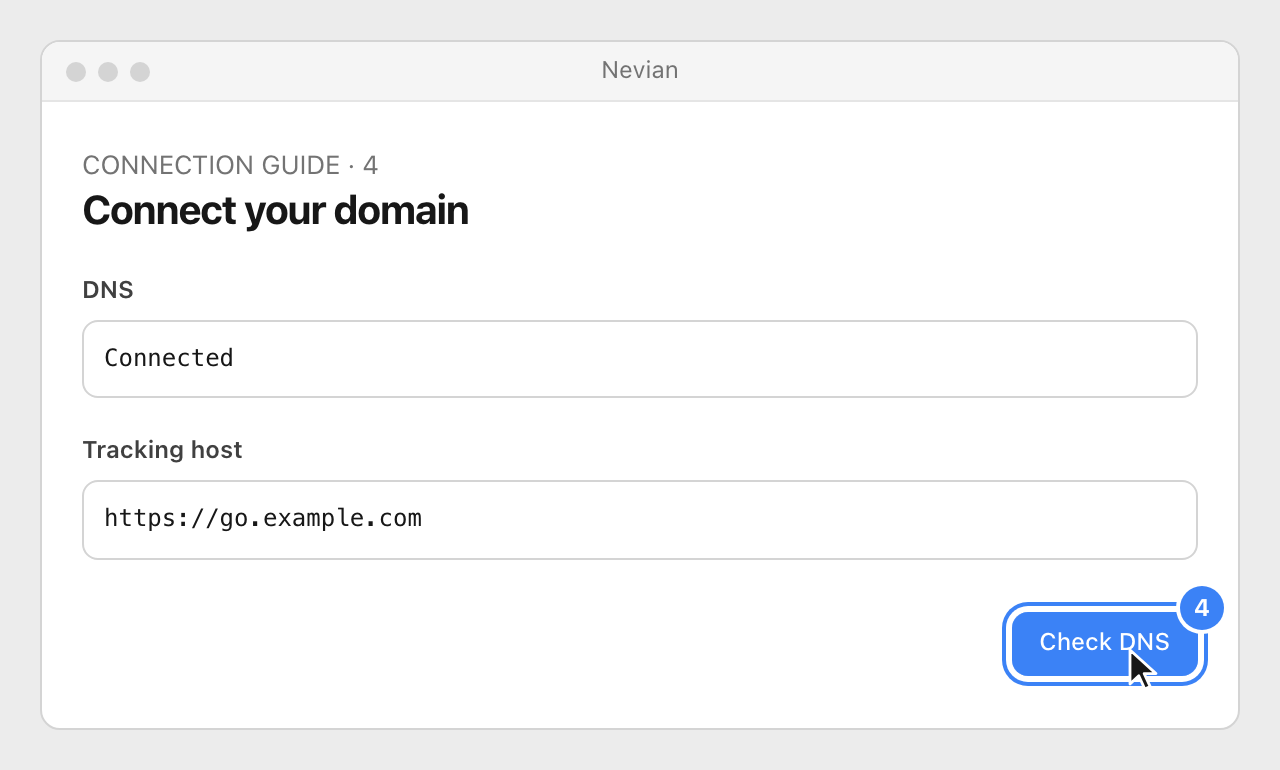
Return to Nevian and choose Check DNS. Once it says Connected, select Done; new tracking links can use this host.
Check that it works
- The custom host is connected and a newly copied tracking link uses the intended host.
- DNS changes can take up to 24 hours. The target is supplied by your workspace; never copy the illustrative target from an image.
Problems
Add domain is missing
Custom domains are not enabled in every environment. Continue with the built-in host; it already serves tracking.
DNS is not pointing to Nevian yet
Check the hostname and CNAME target. On an unused hostname, remove conflicting A/AAAA/CNAME records, and disable the Cloudflare proxy.
The provider adds the domain twice
If the provider appends example.com automatically, enter only the subdomain label, such as go.
Still stuck? Write to [email protected].
Images are our own drawings and configuration diagrams, not screenshots. Use the current values from your account; the examples contain no live credentials.